Updated: Sep 17
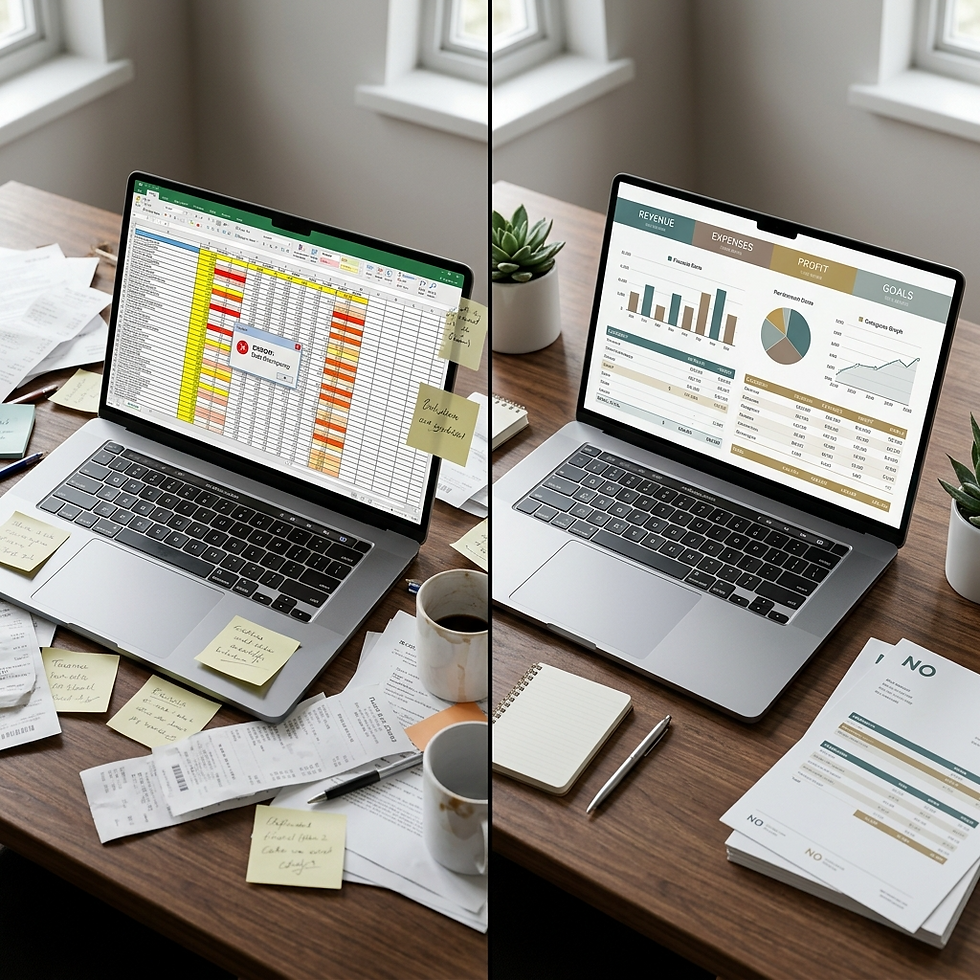
There is a document that shows up every single month that could put thousands of dollars back in your pocket this year. It is not a tax form. It is not a coupon. It is your bank statement.
And if you are like most people, you barely look at it.
You check the balance, make sure nothing catastrophic happened, and move on with your day. But that quick glance is exactly why charges you never approved, fees you never expected, and subscriptions you forgot about keep pulling money out of your account month after month after month.
Here is what the data says. According to a Lexington Law survey of more than 5,000 Americans, only 36 percent check their bank account daily. A full 26 percent check once a month or less (The Ladders). And a Bankrate survey found that the average American has held the same checking account for 19 years, with 43 percent saying the main reason is simply that switching feels like too much of a hassle (Bankrate).
That combination of infrequent review and deep inertia? That is exactly the environment where hidden charges thrive.
The average checking account holder pays nearly $300 a year in bank fees alone. Americans collectively paid over $5.8 billion in overdraft and non-sufficient funds fees in 2023 (Chime/Bankrate). And that number does not even include monthly maintenance fees, ATM charges, or the quiet recurring subscriptions draining your account every 30 days.
But here is the good news, and I really want you to hear this: most of those charges are findable, fixable, and often reversible. You just have to look.
If you have been following along with this series, you have already built some powerful foundations. You created your monthly financial review checklist. You learned how to track your expenses effectively. You set up a Google Sheets budget with real categories and formulas that give your numbers structure. Now this post is going to show you how to use your bank statement to tie all of that together and turn a routine task into one of the most profitable habits in your business.

Let's get into it.
Why Your Bank Statement Deserves More Than a Glance
Think of your bank statement as a financial X-ray. It shows you three things no other document can show you at the same time: what came in, what went out, and what was taken from you without your active, conscious approval.
That third category is the one most people miss completely. And it is the one costing you the most.
Recurring charges, fee increases, duplicate payments, forgotten trials that turned into full-price subscriptions... they all sit right there on your bank statement, quietly compounding month after month. C+R Research found that the average American spends $219 per month on subscriptions but estimates they spend only $86. That is a 2.5x perception gap (C+R Research). That $133 monthly discrepancy adds up to nearly $1,600 a year hiding in plain sight. And 42 percent of people admit they are still paying for a subscription they have completely forgotten about.
For small business owners, the stakes are even higher. When personal and business accounts overlap (something we explored in detail in Business Expense vs. Personal Expense: How to Tell the Difference), a single unreviewed statement can contain misclassified transactions, duplicate vendor charges, and fees that quietly erode your profit margin.
A QuickBooks survey found that 42 percent of small business owners had limited or no financial literacy before starting their businesses. And here is the number that should stop you in your tracks: low financial literacy costs those owners an average of $118,121 in lost profit over the life of the business (QuickBooks). Meanwhile, 71 percent of owners use accounting software, but another 71 percent also still rely on pen and paper or spreadsheets for at least part of their finances, leaving them vulnerable to exactly the kind of oversights a structured review catches.
The bank statement review you are about to learn is one of the simplest, most accessible ways to close that gap. No accounting degree required. If you can highlight a page or open a spreadsheet, you can do this. And once you see what it reveals, you will wonder why you waited so long to start.
What to Look For: The 7 Categories That Hide Savings
When you sit down to review your bank statement, you are not reading it like a book. You are scanning it like a detective. You are looking for the anomalies, the patterns, and the charges that do not belong.
Here are the seven categories where savings hide most often.
1. Recurring Subscriptions You No Longer Use
This is the most common source of hidden waste, and we covered it in detail in 7 Spending Leaks That Are Quietly Draining Your Business. The numbers are striking: 42 percent of consumers are paying for subscriptions they no longer use (Iowa State University). Eighty-six percent of people have more than one subscription on autopay, which makes it incredibly easy for charges to keep pulling long after you stopped using the service.
If you went through the evaluation framework in Should You Cancel That Subscription?, you already have a method for making these decisions. Your bank statement review is the moment to apply it.
Here is what I want you to do: highlight every recurring charge on your statement, even the ones you recognize. Then ask two simple questions. Did I use this in the last 30 days? And would I sign up for this again today at this price? If the answer to either question is no, it goes on your cancellation list.
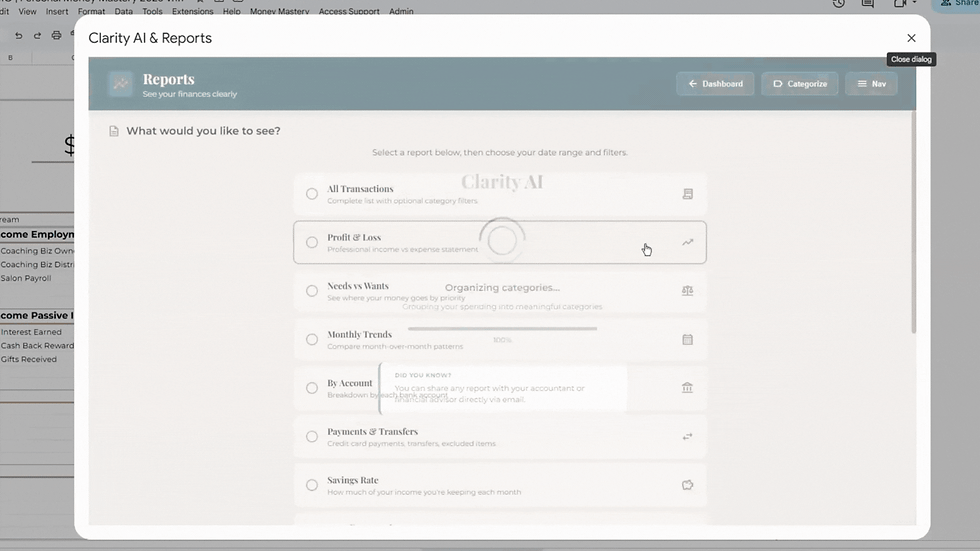
Inside Money Mastery, recurring charges stand out immediately because every transaction is categorized the moment you upload your statements. When you see "Software Subscriptions" or "Streaming Services" climbing in your spending breakdown, that is your signal to dig in. The system does the sorting so you can focus on the deciding.
2. Bank Fees You Did Not Expect
Bank fees are sneaky. They show up as small, cryptic line items that most people scroll right past. But they are adding up more than you think.
The 2026 MoneyRates Checking Account Fee Survey found that monthly maintenance fees now average $13.51 (up from $13.24 just six months earlier), out-of-network ATM fees have reached a combined average of $4.64 per transaction, and the average overdraft fee sits at $32.75 per occurrence (CNBC Select). Bankrate's 2025 study found that interest-checking accounts now require an average minimum balance of $10,705 to avoid service charges, a record high (Bankrate). And a LinkedIn analysis estimates the average small business pays $200 to $500 per month in total banking fees, most of it avoidable (Holdings/LinkedIn).
But here is something encouraging: a Chime survey of 2,000 Americans found that 63 percent of people who encountered an unexpected fee contacted their bank, and 50 percent asked for the fee to be removed (Chime). Banks will often waive fees, especially first-time occurrences. You just have to notice them first.
Scan your statement for anything labeled "service charge," "maintenance fee," "NSF," "overdraft," or "ATM surcharge." If any of these show up and you were not expecting them, pick up the phone. Then check whether your account offers fee waivers for direct deposit, minimum balance, or switching to a different account type. This ties directly to the cash flow awareness we built in Cash Flow Management for Small Business. Every dollar lost to avoidable fees is a dollar that could be strengthening your cash position instead.

3. Price Increases on Autopay Services
This is what we called "autopay creep" in the spending leaks post, and it is one of the most frustrating patterns on a bank statement because it happens so quietly.
When services raise their prices, they typically send a brief email notification (easily buried in a crowded inbox) and then the new amount simply starts pulling from your account. A CNET survey found that 67 percent of consumers experienced a price increase on a subscription, and only 25 percent canceled because of it. That means 75 percent of people just absorbed the increase and kept paying without making a conscious decision to do so.
The University of Illinois research on autopay behavior confirms exactly why this happens: most consumers set up autopay and then completely disengage, creating the perfect conditions for incremental increases to go unnoticed (Gies College of Business).
Here is a practical way to catch it. Compare your current month's recurring charges to the same charges from three months ago. If a service went from $9.99 to $12.99, that $3 increase may not seem like much on its own. But multiply it across ten or fifteen autopay charges and those small increases can add $600 to $900 a year to your expenses.
And if you built the budget spreadsheet we walked through in How to Use Google Sheets for Budgeting Your Business and Personal Finances, this is where that spreadsheet really earns its keep. Your Google Sheet shows what you expected to pay for each subscription. Your bank statement shows what you actually paid. When those two numbers do not match, you have found autopay creep. The spreadsheet is the plan. The bank statement is the reality. Comparing the two side by side is one of the most powerful things you can do for your finances.
Money Mastery's monthly spending breakdown makes this comparison even simpler. When you review your numbers month over month (something we covered in the monthly financial review checklist), price increases show up as category-level shifts that you can catch in real time instead of discovering them months later.
4. Duplicate or Erroneous Charges
Billing errors happen more often than most people realize. Double charges from vendors, charges for returned items that were never refunded, incorrect transaction amounts... they all show up on bank statements and they all go unnoticed when no one is looking.
The FTC has documented that one in five consumers has an error on at least one credit report (CFPB), and similar error rates apply to bank and credit card transaction records. A 2024 Federal Reserve survey found that 21 percent of U.S. consumers experienced financial fraud in 2023. For those who experienced non-credit-card fraud (bank accounts, debit cards, transfers), more than 60 percent lost money in the incident, and only about half fully recovered the funds (Kansas City Fed).
Look for two charges from the same vendor on the same day, charges from vendors you do not recognize, and amounts that do not match your receipts. This is where the receipt organization system we built in How to Organize Receipts for Your Small Business becomes incredibly valuable. When you can match a receipt to a charge, you can instantly verify whether an amount is correct. And inside Money Mastery, your receipts are attached directly to the corresponding transactions, so verification is just one click away.
5. Convenience and Micro-Fees
Small transaction fees, paper statement charges, card replacement fees, and account research fees are easy to overlook one at a time. But they accumulate quietly over the course of a year.
The Wise/Ipsos survey found that 39 percent of Americans were surprised to learn about transaction search fees, 37 percent did not know about paper statement fees, and 34 percent were unaware of minimum balance fees (Wise). On average, Americans pay $329 per year in bank fees, and much of it is in categories they did not even know existed.
On your statement, look for any charge under $10 that you cannot immediately explain. These micro-charges are designed to be small enough to ignore. But twelve months of a $4.95 paper-statement fee adds up to nearly $60, and that is just one line item. Add a few more across different accounts and you are looking at hundreds of dollars a year in charges that deliver absolutely no value.
Inside Money Mastery, you can create a specific sub-category for fees and surcharges so they are never lumped in with your general expenses. When fees have their own line in your spending breakdown, you actually see them. And when you see them, you can do something about them.
6. Charges From Free Trials That Converted
Free trials exist as an acquisition strategy precisely because consumers forget to cancel. RevenueCat's 2025 data shows that opt-out trials (the ones that require your credit card upfront) convert at 49 to 60 percent (ReSubs/RevenueCat). Not because people love the product. Because the trial quietly becomes a paid subscription and no one notices.
On your statement, look for first-time charges from services you do not actively use. If you signed up for a trial three months ago and forgot about it, you may have already paid two or three months of charges you never intended.
We addressed the psychology behind this in Should You Cancel That Subscription?. The sunk-cost fallacy and the "I might use it someday" mindset keep people paying for services that deliver zero value. Your bank statement is the objective evidence that cuts through that emotional reasoning. Let the numbers make the decision for you.
7. Misclassified or Split-Worthy Transactions
If you use your business account for occasional personal purchases (or the other way around), your statement will contain transactions that need to be reclassified or split. We covered this in detail in the business vs. personal expense post, including the three-question test for categorization.
During your statement review, flag any transaction where the business-versus-personal split is not clear. These are the transactions that cause the most trouble at tax time and during audits, and catching them monthly is so much easier than trying to untangle twelve months of mixed expenses in April.
If you track your budget in Google Sheets using the framework from our Google Sheets budgeting post, here is a quick tip: add a "Review Needed" column to your spreadsheet. When you encounter a transaction during your statement review that needs to be split or reclassified, mark it there so it gets handled before the month closes. Small organizational moves like this are what keep your financial picture accurate all year long.
The 30-Minute Monthly Bank Statement Review: A Step-by-Step System
Now you know what to look for. But knowing and doing are two different things. You need a repeatable process so this review actually happens, and happens efficiently, every single month.
Here is the system. It takes 30 minutes or less. And it will become one of the most valuable half-hours in your entire month.
Step 1: Download or Print Your Statement (Minutes 1 to 3)
Pull your bank statement for the most recently completed month. If you have both a business checking account and a business credit card, pull both. If you are still using a personal account for business transactions (something we addressed in Why Separating Business and Personal Finances Matters), pull that statement too.
Print it if you prefer to mark it up physically, or open it on a tablet or computer where you can annotate digitally. Having the full statement visible, rather than scrolling through a banking app, gives you a wider view of patterns that are easy to miss on a small screen.
Step 2: Scan for Recurring Charges (Minutes 4 to 10)
Go through the statement line by line and circle or highlight every recurring charge. Subscriptions, memberships, software licenses, insurance premiums, loan payments, and any other charge that appears in roughly the same amount each month.
Create a simle list with three columns: the charge name, the amount, and your verdict (keep, cancel, or investigate). If you are not sure whether you still use a service, mark it "investigate" and set a reminder to evaluate it within the next seven days.
Step 3: Flag Fees and Unexpected Charges (Minutes 11 to 16)
Go through the statement a second time, now looking specifically for bank-imposed fees and charges you did not initiate. Overdraft fees, NSF charges, monthly maintenance fees, ATM surcharges, wire transfer fees, and any line item you cannot immediately explain.
For each fee, note whether it is avoidable. Many of them are. Bankrate found that 95 percent of non-interest checking accounts are either free or can become free simply by setting up direct deposit (Bankrate). If you are paying a monthly maintenance fee, this review might be the moment you finally make the switch to an account that does not charge one.
Step 4: Compare to Last Month and Your Budget (Minutes 17 to 22)
This step is where the real insights live.
Pull up last month's statement alongside the current one. Compare the recurring charges side by side. Did any amounts change? Did any new recurring charges appear? Did anything from last month disappear, and if so, was that intentional?
This is where price creep becomes visible. A $2 increase on one subscription is easy to miss in isolation. But when you see it next to three or four other increases, the pattern is impossible to ignore. This is also where you will catch double charges or charges that should have stopped after a cancellation.
Now here is where your financial tools really start working together. If you built a budget in Google Sheets using the framework from our Google Sheets budgeting post, pull that spreadsheet up alongside your statement. Your budget shows what you planned to spend in each category. Your statement shows what actually happened. Where those two numbers diverge, you have either an error, a price increase, or an unplanned expense that needs a decision. This planned-versus-actual comparison is the single most powerful financial habit you can build, and it takes less than five minutes once your systems are set up.
If you use Money Mastery, the dashboard does much of this automatically. The month-over-month comparison view highlights changes: new charges, amount differences, and transactions that appeared in one month but not the other. The system flags what changed so you can focus on deciding what to do about it.

Download the free Money Mastery Net Worth Tracker to get a bank statement review worksheet and a step-by-step guide to running your first 30-minute audit.
Step 5: Match Key Transactions to Receipts (Minutes 23 to 27)
Select five to ten of the largest transactions from the month and match them to your receipts or invoices. You do not need to verify every single charge. Focus on the ones that are large enough to matter if they were wrong.
If you have been following the receipt organization system from Blog 15, this step should take only a few minutes because your receipts are already named, filed, and (if you use Money Mastery) attached directly to the corresponding transactions. One click opens the transaction, and the receipt is right there. No digging through folders, no searching your email, no guessing.
If any transaction does not have a matching receipt, or if the amount does not match, flag it for follow-up. This is exactly how billing errors and unauthorized charges get caught before they become permanent losses.
Step 6: Calculate Your "Hidden Cost" Total and Take Action (Minutes 28 to 30)
Now add up everything you flagged. Subscriptions to cancel. Fees to dispute. Price increases to evaluate. Errors to correct. Write this number down. This is your "hidden cost" total: the amount of money that was leaving your account without actively contributing to your life or your business.
Then take action. Cancel the subscriptions you marked for cancellation. Call your bank about the fees. Dispute the errors. Set calendar reminders for anything that needs follow-up.
This is the part that matters most. The review only creates value if it leads to decisions. Do not just make a list. Act on it. Every charge you eliminate this month is a charge that never comes back next month.
How Much Can This Actually Save You?
Let's put some real numbers together, because I think you will be surprised.
Forgotten subscriptions alone cost the average person $133 per month, or $1,596 per year, beyond what they think they are spending (C+R Research). Bank fees average $300 per year for an individual checking account holder (Bankrate/Chime). For small businesses, the picture is even bigger: maintenance fees of $13.51 per month ($162 per year), overdraft fees averaging $32.75 per occurrence, ATM fees at $4.64 per transaction, and total banking fees estimated at $200 to $500 per month, or $2,400 to $6,000 per year (Holdings/LinkedIn).
When you add autopay price creep ($600 to $900 per year based on the estimates from our spending leaks post), convenience fees, and the occasional billing error, a business owner who has never done a thorough statement review could realistically recover $2,000 to $5,000 in the first year. And then prevent those same losses from recurring every year after that.
As Regions Bank puts it in their self-audit guide: "Eliminating cash leaks allows money to be moved from areas that do not contribute to ROI to areas that do, such as marketing, employee retention, and research and development" (Regions Bank).
That is real money. And finding it starts with 30 minutes and a highlighter.
Beyond Savings: Your First Line of Defense Against Fraud
A bank statement review is not just about saving money. It is also your first and best defense against fraud.
Identity theft reports filed between January and September 2025 already exceeded the full-year total for 2024, with credit card fraud growing by 49.5 percent quarter over quarter (OmniWatch/FTC). Financial losses from fraud surpassed $11 billion in 2024. And the Federal Reserve found that 21 percent of U.S. consumers experienced financial fraud in 2023. Among non-credit-card fraud victims, more than 60 percent lost money in the incident, and only about half fully recovered the funds. Financially vulnerable consumers were nearly twice as likely to end up with unrecovered losses compared to those with a stronger financial cushion (Kansas City Fed).
The FDIC advises consumers to notify their bank within 60 days of receiving a statement that shows unauthorized charges (FDIC). Miss that window and your liability increases significantly. A monthly statement review ensures you are always within that 60-day window. The sooner you catch something, the easier it is to fix.
This connects directly to the broader financial awareness practices we discussed in 9 Financial Mistakes New Business Owners Make, where failing to monitor accounts was one of the most common and costly errors new entrepreneurs make.
Make It a Habit: The Monthly Review Ritual
The difference between people who find hidden savings and people who do not is not intelligence or financial expertise. It is consistency. This review only works if you do it every month. Here is how to make that happen.
Schedule it. Pick a specific day each month, ideally two to three days after your statement closes, and block 30 minutes on your calendar. Treat it like any other recurring business appointment. If you have already built the five-minute weekly receipt habit from Blog 15, your statement review will be faster because much of the verification work is already done.
Create a review template. Use a simple spreadsheet or notebook with these column headers: Date, Description, Amount, Category (subscription, fee, purchase, unknown), and Action (keep, cancel, dispute, investigate). If you already have your Google Sheets budget set up, add a "Statement Review" tab to that same workbook. That way your planned budget, your actual spending, and your flagged items all live in one place. Reuse this template every month so the format becomes automatic and you never have to think about how to do the review, only what you find.
Track your cumulative savings. Keep a running total of the money you have recovered or prevented from leaving through your reviews. Write it on a sticky note near your desk. Seeing "$4,200 saved this year" is powerful motivation to keep the habit going, especially on the days when sitting down to look at numbers feels like the last thing you want to do.
Pair it with your monthly financial review. If you are already following the Monthly Financial Review Checklist, the bank statement review fits naturally into that process. It is not an additional task. It is a deeper version of something you are already doing. And if you are building your financial goals for the quarter, the money you recover from this review can be redirected toward those goals immediately. That is the beauty of having a system: the savings do not just disappear into your general balance. They go somewhere intentional.
How Money Mastery Makes This Easier (and Faster)
I want to take a moment to talk about how Money Mastery supports this entire process, because the system was built for exactly this kind of monthly financial work.
The month-over-month comparison view is where the real magic happens for this review. It highlights changes automatically: new charges that appeared for the first time, recurring charges where the amount changed, and transactions that were present last month but missing this month. This is the same comparison you would do manually in Step 4 above, but Money Mastery does it for you in seconds.
When you flag a transaction as questionable, it stays flagged until you resolve it. Nothing falls through the cracks between reviews. And because your receipts are attached directly to transactions inside the system, verifying any charge is as simple as opening the transaction and checking the receipt. One click. No digging, no searching, no guessing.
You can also create custom sub-categories for things like bank fees, ATM charges, and subscription services, so those charges are never buried inside a generic "Business Expenses" bucket. When fees have their own line in your dashboard, you see them clearly. And when you see them clearly, you make different decisions.
If you are not using Money Mastery yet, this is a wonderful place to start. The free Money Mastery Net Worth Tracker will walk you through the basics and show you how the system transforms a raw bank statement into an organized, actionable view of your finances. And if you want hands-on help getting set up, Donna offers onboarding sessions and Fierce Financials coaching that pair the system with personalized financial strategy for your specific business.
Your Action Step This Week
I am going to keep this simple, because the hardest part is just starting.
This week, set aside 30 minutes and review your most recent bank statement using the six-step system above. If you have never done a thorough review before, start with just one account. Look for three specific things:
One subscription you forgot about. One fee you did not expect. One charge that increased without your explicit approval.
Write down what you find and the dollar amount. Then take action. Cancel, call, or dispute. That single session might be the most profitable 30 minutes you spend all month.
And if you want a framework to make this review part of a broader financial system that actually works for you long-term, download the free Money Mastery Net Worth Tracker. It gives you the foundation to build a sustainable review habit, whether you are starting from zero or refining a process you already have.
You deserve to know where every dollar is going. And now you have the system to find out.

Coming up next: We will tackle how to track your income and expenses for tax purposes, the system that connects your bank statement reviews, receipt organization, and expense tracking into a year-round tax-readiness strategy you can actually maintain.
Frequently Asked Questions
How often should I review my bank statements?
At minimum, once per month. If you have high transaction volume or multiple accounts, consider a quick weekly scan of your banking app to catch issues early, with a deeper 30-minute review at the end of each statement period. As we discussed in the monthly financial review checklist, consistency matters more than perfection. The goal is to build the habit so reviewing becomes automatic, not stressful.
What if I find an unauthorized charge?
Contact your bank immediately. Under federal law, you generally need to report unauthorized debit card charges within 60 days of receiving your statement to limit your liability. For credit cards, the Fair Credit Billing Act limits your responsibility to $50, but most issuers waive even that. The Kansas City Fed research shows that consumers who act quickly are far more likely to fully recover lost funds. Do not wait.
Can I negotiate bank fees?
Yes, and more people do this successfully than you might think. Chime's survey found that 63 percent of consumers who faced an unexpected fee contacted their bank, and 50 percent asked for the fee to be removed. Banks will often waive first-time or occasional fees, especially if you have a good account history. If your current account charges fees that cannot be waived, the Bankrate survey shows that 95 percent of non-interest checking accounts are free or can become free through direct deposit. Switching may be the smarter long-term move.
How long should I keep my bank statements?
For personal accounts, one year is generally sufficient once you have reconciled them against your records. For business accounts, keep statements for at least three years (the standard IRS audit window), or seven years if you want the safest margin. This is consistent with the retention guidelines we outlined in the receipt organization post. Digital storage makes long-term retention easy and essentially free.
Does Money Mastery help with bank statement reviews?
Absolutely. Money Mastery automatically suggests categories for transactions, flags changes month over month, and lets you attach receipts to individual transactions for instant verification. The month-over-month comparison dashboard turns a raw bank statement into an organized, actionable view of your finances that highlights exactly what changed and what needs your attention. Start with the free Net Worth Tracker to see how it works.
I have not reviewed my statements in months. Where do I start?
Start with this month. Do not try to retroactively review six months of statements in one sitting. That is a recipe for overwhelm, and overwhelm leads to quitting. Review the current month using the six-step system above, take action on what you find, and commit to reviewing next month's statement on schedule. Within three months you will have a clear picture of your recurring costs, your patterns, and exactly where the leaks are. You can do this.
Can I use a spreadsheet instead of Money Mastery for this review?
Yes. If you set up the Google Sheets budget from our Google Sheets budgeting post, you can add a "Statement Review" tab to your existing workbook and track flagged items right alongside your budget categories. The key is having a consistent, repeatable process. Money Mastery automates much of the categorization and comparison work, and it gives you receipt attachment, AI-powered suggestions, and real-time dashboards that a spreadsheet cannot replicate. But a well-structured spreadsheet will absolutely get you moving if you are disciplined about updating it. The most important thing is that you start.
If you would like to talk it through with someone, Donna Roggio is a business coach with fifteen years of experience helping women sort this out, and a first call with her is free.