top of page

System-in-Action

A Money Mastery review real dashboard is what happens when your business finances stop living in five different tabs and one lost spreadsheet. Instead of hunting for numbers across apps and files, everything you need lives in one working place, and you know exactly what to look at first.


Here is what to track when you make the shift.
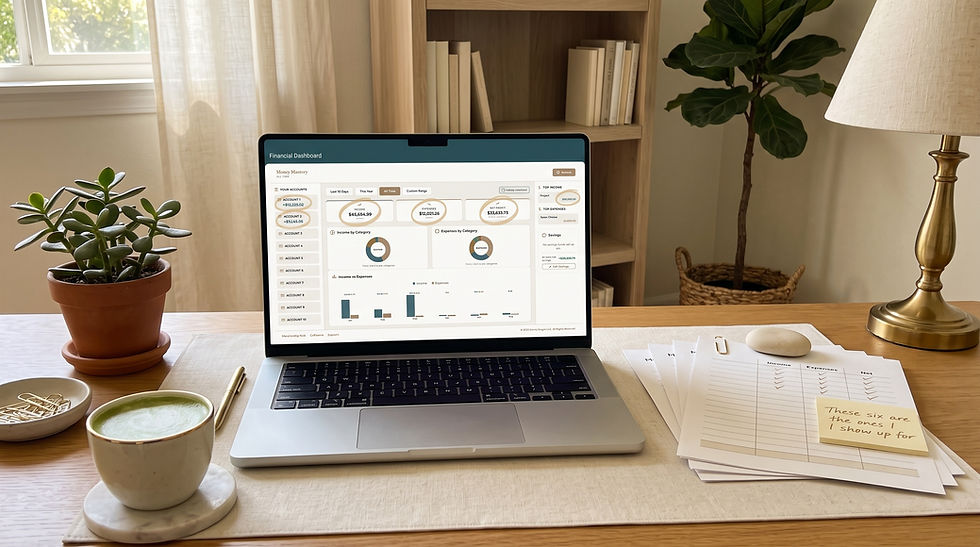

Laptop on a tidy desk shows a financial dashboard, with notes and papers beside a plant, coffee, and lamp in a calm home office.

The 6 things to track first in your dashboard

  1. Total money in for the month

  2. Total money out for the month

  3. What you kept after business expenses

  4. Top three expense categories so you can spot drift

  5. Tax money already moved so you know what is truly available

  6. Owner pay taken so your rhythm is visible


That is your operating picture. Six numbers, one screen. If categorizing expenses still feels new, 35 Business Expense Categories Every Small Business Owner Should Be Tracking will make the setup even faster.


Why one dashboard beats scattered spreadsheets

  • No more toggling between eight apps

  • No more forgetting where you saved that one document

  • No more losing context when you close the laptop

  • No more starting over every quarter


Everything lives in one place, and it stays in that one place.


A comparison to make the choice easy

Scattered spreadsheets

Money Mastery review real dashboard

Multiple files, multiple places

One working system

Manual copying

Structured categories

Guessing what matters

Six clear numbers up front

Restarting after long gaps

Ongoing monthly story

Solo work

Inside the Collective with other women

What to move first when you make the switch


If you are coming from spreadsheets or scattered apps, use this order:

  1. Move your last full month of statements

  2. Categorize the biggest ten transactions first

  3. Note your top three expense categories

  4. Mark tax money and owner pay clearly

  5. Set your weekly review time (pair this with How to Track Where Your Money Goes in 15 Minutes)

  6. Attend Finance Friday Live inside the Collective for support


Twenty to thirty minutes gets you a working dashboard. Then it only gets easier. If your business and personal money are still mixed inside one account, walk through How to Seperate Business and Personal Finances before you migrate, so the dashboard reads clearly from day one.


How the dashboard works with the Collective
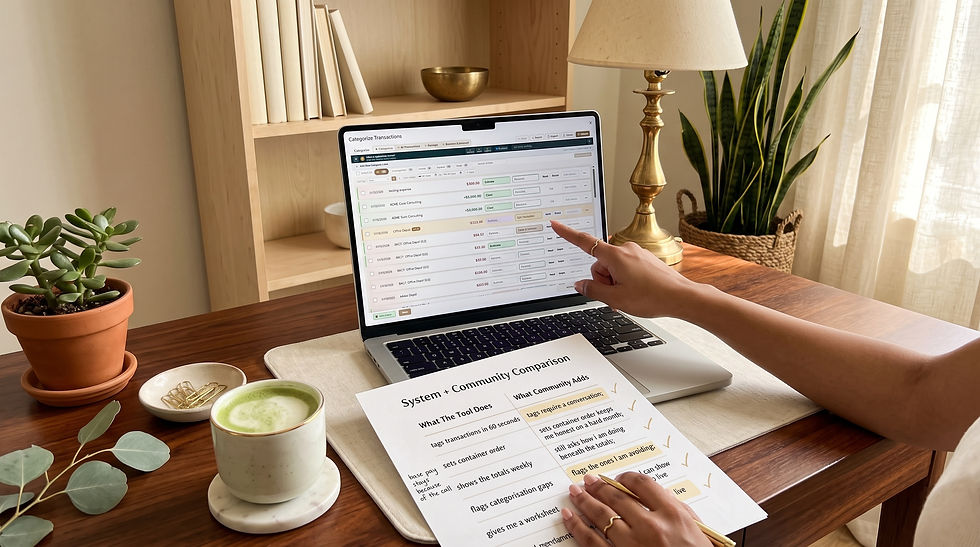

Hand points at a laptop showing Categorize Transactions, beside a worksheet, coffee, and plants on a warm home desk.

The dashboard is one piece. The other piece is the community around it. Inside the Collective:

  • The daily blog keeps you close to your numbers

  • The discussion feed turns your monthly story into a shared conversation

  • Finance Friday Live gives you Donna's live teaching each week

  • The Money Reset Call closes the month cleanly at Momentum

  • Office Hours answers specific dashboard questions at Momentum


That combination is what turns a dashboard into a life-changing money practice.


A story that shows the shift

Picture Rosa, a service business owner who has been running six spreadsheets and two apps for years. She spends the first weekend of the month rebuilding a picture that never quite matches. When she moves to a Money Mastery review real dashboard, three things happen fast. First, she sees her full monthly story on one screen. Second, she cancels three subscriptions she did not realize were still active. Third, she attends Finance Friday Live and hears Donna teach on the exact number that matters most for her current stage, which pairs beautifully with What Is Cash Flow? (And Why It's Not the Same as Profit).


By month two, Rosa is not just organized. She is in relationship with her business.
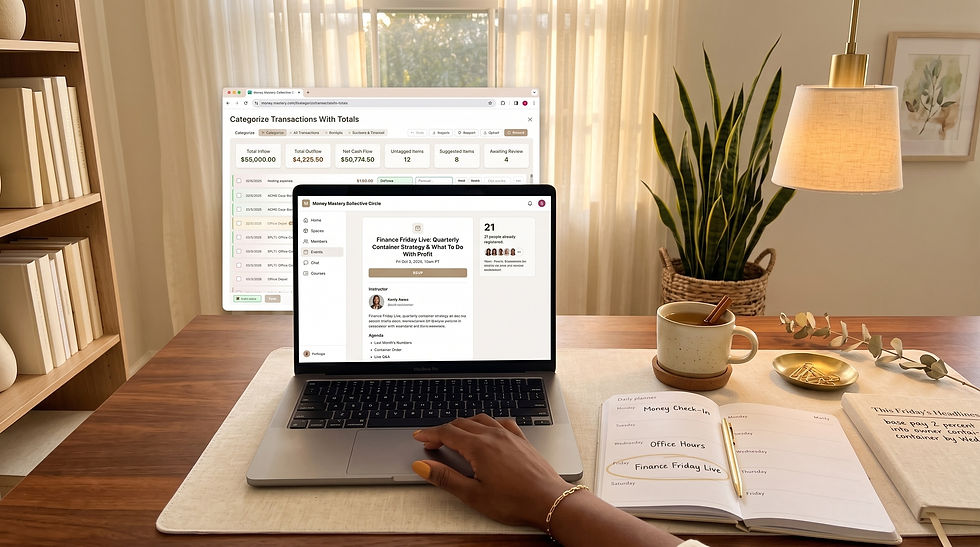

Hand on laptop in cozy home office, with monitor, planner marked Money Check-In and Finance Friday Live, mug and lamp.

A quick joy check


Ask yourself:

  • When was the last time I opened all my money files and felt calm?

  • When was the last time I answered "what did I keep last month?" in under a minute?

  • When was the last time I felt supported while reviewing my business?


If those feel rare, this is the upgrade.


What to do next

Move your first month into a Money Mastery review real dashboard this week, and step into the Collective at https://moneymasterycollective.circle.so.


FAQ


What makes this dashboard different from a spreadsheet or a budgeting app?

The biggest difference is intent. Most spreadsheets and budgeting apps were designed to record transactions or track a spending plan. The Money Mastery System dashboard was designed to give women entrepreneurs a working, decision-ready view of their business and personal money at the same time. That means the categories are relevant to how a real business runs, the monthly breakdown is easy to read, and the numbers that matter most are the ones you see first. The dashboard also lives inside the Collective, which means it is surrounded by teaching, community, and rhythm. A spreadsheet gives you cells. A budgeting app gives you a plan. The Money Mastery System dashboard gives you clarity, conte support.


Do I need to migrate every account before the dashboard is useful?

No. The dashboard is useful from the moment you have one full month of data inside it. Many women start with one business checking account and one credit card and add more later. The point is not to build a perfect data set. The point is to see your money more clearly with each passing week. As you get comfortable, you can add other accounts, refine categories, and increase the level of detail. The reason this matters is that many women delay switching systems because they think they need to overhaul everything at once. You do not. Start with one month, see what you kept, and let the value compound from there.


How do I know when the dashboard is starting to work for me?

You know it is working when three things start happening. First, you begin answering the question "what did I keep last month?" in under a minute. Second, you notice patterns from one month to the next that you never used to see, like a recurring subscription that keeps drifting up or an income stream that is quietly becoming more important. Third, you find yourself making small decisions faster and with less anxiety, because you trust the numbers you are seeing. When the dashboard is inside the Collective, a fourth signal shows up: you start bringing what you see to Finance Friday Live and the Money Reset Call, and you use the community to make the picture even sharper.

Financial software for women entrepreneurs is powerful, but on its own it only solves half the puzzle. The tool shows you the numbers. The community shows you what to do with them. Pair those two together and the entire experience of running a business changes for the better.


This is exactly why Money Mastery System is built as a system on the desk plus a room of women around it.


Woman working on a laptop showing Money Masters financial dashboard, with coffee mug and notebook on a sunlit desk.

What financial software for women entrepreneurs actually does well


Great financial software can:

  1. Bring your income and expenses into one place

  2. Show categories and monthly breakdowns

  3. Highlight what came in, what went out, and what you kept

  4. Support decisions with clean numbers

  5. Save time versus scattered spreadsheets


That is real value. But it is not the whole picture. If you want the deeper definition of what a tool like this is really solving for, What Financial Clarity Actually Means is a great next read.


What it cannot do alone


Software cannot:

  • Teach you what to prioritize this month

  • Sit with you through an emotional decision

  • Answer your specific question at 9pm on a Wednesday

  • Give you a rhythm that lasts beyond a login

  • Normalize honest money conversations with other women


Those are community jobs.


The pairing that changes everything

The Money Mastery System system does this

The Collective adds this

Holds your numbers cleanly

Holds you in real support

Shows what you kept last month

Explains what that means for your next month

Structures categories

Structures your rhythm

Provides visibility

Provides accountability

Supports individual sessions

Supports long-term change

Inside the Collective, the Money Mastery System system helps you see what you kept last month on one screen, alongside other women doing the same work. That is the whole model in one sentence.


Home office desk with laptop showing finance dashboard charts, folders, notebook, pens, and a small plant in warm daylight.

Why software feels different inside the Collective


Here is the shift you get inside the ecosystem:

Software gives you clarity. Community gives you continuity.


An uplifting story of the pairing

Picture Anna, a service business owner who has tried three different money apps. She always starts strong and then drifts. When she joins Money Mastery System + the Collective, something changes. The Money Mastery System system holds her numbers, but the Collective gives her a reason to look. She catches Finance Friday Live once a week, drops into the discussion feed a few times, and joins the Money Reset Call once a month. Within a quarter, she is not "trying a new tool." She is inside a rhythm that keeps her in relationship with her business.


The tool has finally stuck, because it is not standing alone.


Five signs your software needs a community around it


  1. You have tried tools before and drifted away

  2. You know the numbers but rarely act on them

  3. You feel unclear about which number matters most

  4. You want a place to ask specific questions

  5. You want to stop doing money alone

If two or more of those feel true, community is the missing piece.


What to do next


Choose the pairing that changes everything. Step into Money Mastery System + the Collective at https://moneymasterycollective.circle.so.


Cozy desk with laptop open to Collective Circle finance posts, surrounded by planner, notebook, coffee, and houseplants.

FAQ


Why is financial software stronger inside a community?

Software is a tool, and tools work best when they are used consistently. What most women lack is not access to a tool. It is a reliable reason to keep using it. Community provides that reason. Inside the Collective, there is a daily blog nudging you back into your numbers, a discussion feed where other women are working through similar decisions, Finance Friday Live where Donna teaches on real questions, and a monthly Money Reset Call that closes each month with intention. All of those touchpoints give the Money Mastery System system somewhere to land. Instead of being a lonely app you eventually forget about, it becomes the working tool inside a room of women doing the same work. That pairing is what makes change stick.


How is the Money Mastery System different from other financial software?

Money Mastery System is different because it was designed from the start to live inside a community, not to compete on features alone. It focuses on the numbers women actually make decisions with: what came in, what went out, what you kept, and what your monthly breakdown looks like. The interface is designed to feel calm and usable, not overwhelming. Most importantly, the tool is not sold in isolation. When you use Money Mastery System, you are stepping into the Collective, which means you have access to Donna's teaching, the community discussion feed, Finance Friday Live, and the monthly reset rhythm at higher tiers. That combination is the reason the tool actually gets used, and used with confidence.


What if I already have another accounting software?

You can absolutely keep a bookkeeping-focused tool alongside Money Mastery System. The two often serve different purposes. Formal accounting software is helpful for tax preparation, payroll, and compliance. Money Mastery System is helpful for financial clarity, decision-making, and the ongoing story of your business and personal money. Many women use their accountant-facing software for what it does best and use Money Mastery System for what they were actually missing: a working system that gives them visibility into what they kept, a rhythm for reviewing it, and a community that helps them keep going. Your accountant does not need to change anything. You are simply adding the clarity layer that most software never provides.

If you are comparing Money Mastery vs QuickBooks, start by asking a better question than “Which one is better?” Ask which one is built for the problem you are actually trying to solve.


Cozy home office desk with laptop showing Personal vs Business finances, candle, iced coffee, notebook, plants, and books.

That matters because these two tools are not trying to do the same job.


QuickBooks is built first as accounting software. Intuit says QuickBooks connects bank and credit card transactions, helps track income and expenses, runs reports, and includes a built-in cash flow statement. QuickBooks accounting overview QuickBooks expense tracking If what you need most is bookkeeping infrastructure, automatic transaction syncing, receipt capture, and tax-ready record organization, QuickBooks is a logical option.


Money Mastery, based on your internal strategy and source-of-truth documents, is positioned differently. It is built around full-picture financial clarity, behavior change, and community-led follow-through. In other words, it is not trying to replace accounting logic alone. It is trying to help women understand their money, stay connected to it, and make decisions from a calmer, more complete view.


That distinction is exactly where many buyers get confused. They choose a tool that is competent at storing information when what they actually need is a system that helps them stay engaged with the information.


Start by deciding what job you need done first


If you are a sole owner trying to choose between the two, do this before comparing features.


Hands hold bookkeeping and money clarity notes before a laptop showing Money Mastery dashboard on a cozy desk.

Write down which of these problems is most true right now:

  • My books are messy and I need accounting structure.

  • I avoid my numbers and need a better money habit.

  • I know what came in, but I do not know what I kept.

  • I want transaction syncing and standard business reports.

  • I want more support, context, and consistency around money decisions.


If your biggest problem is bookkeeping infrastructure, QuickBooks likely solves that problem more directly. Intuit’s own language emphasizes synced accounts, imported transactions, categorized expenses, and reporting. QuickBooks accounting overview QuickBooks expense tracking


If your biggest problem is that you do not trust yourself to stay close to the numbers, the answer may not be more automation. It may be more structure, more interpretation, and more accountability around the money itself.

That is where Money Mastery becomes different.


Choose QuickBooks if you need accounting automation first


Choose QuickBooks first if you need:

  • automatic bank and credit card syncing

  • a system designed to keep the books current for tax and accounting purposes


That is not a knock on Money Mastery. It is simply the right tool for a particular job.

If someone is several months behind on transaction organization, wants a direct accounting backbone, and needs a bookkeeper-friendly environment, QuickBooks is usually easier to justify.


This is also where a post like What Is a Profit and Loss Statement? becomes helpful. If the person needs to understand reports once the books are organized, that post is a natural internal next step.


Choose Money Mastery if you need full-picture financial clarity and follow-through


Choose Money Mastery first if you need:

  • visibility into how business and personal money interact

  • a system that supports behavior change, not only recordkeeping

  • help knowing what to review and what it means

  • more consistency around weekly and monthly money habits

  • community or guided support so the numbers do not stay abstract


This is where many women business owners discover that the problem is not software capability. It is follow-through capability.


They may already have access to statements, reports, or even bookkeeping. What they still do not have is a rhythm that helps them look regularly, interpret calmly, and decide confidently.


That connects directly to What Financial Clarity Actually Means and Why Every Business Owner Needs a Monthly Financial Review Checklist. If you want someone to use the information better, not just collect it better, that is a different kind of solution.


Hands count cash at a laptop showing a Profit & Loss dashboard on a cozy desk with coffee, notebook, and scissors.

Use this test if you are still unsure

Ask yourself these five questions.


  1. Can I already access my numbers, but I still do not feel clear?

  2. Do I have reports, but I am not regularly using them to make decisions?

  3. Do I want a tool that helps me organize transactions, or a system that helps me stay engaged with money?

  4. Am I trying to solve bookkeeping, or am I trying to solve avoidance?

  5. Would I benefit more from automation, or from accountability and interpretation?


Your answers usually tell you which direction to go.


A better example of how this shows up in real life

Picture a salon owner named Brianna who has been saying she needs “better software.” When she looks more closely, what she really means is that she does not know what to review every week, she is inconsistent about checking expenses, and she feels emotionally behind every time she logs in. If she buys software that automates transactions but never changes her money rhythm, she may end up with cleaner records and the same anxiety.


Now picture a consultant named Alina whose transactions are spread across cards, receipts, and memory. Her accountant needs a cleaner system, and she is tired of catch-up bookkeeping. In her case, a bookkeeping-first tool may solve a very real pain point quickly.


Both women need help. They do not need the same kind of help.


What not to do

  • Do not choose QuickBooks because it is the most recognizable name if your real problem is financial avoidance.

  • Do not choose Money Mastery expecting it to replace every accounting workflow if what you truly need is a tax-ready bookkeeping engine.

  • Do not buy either tool based only on features. Buy based on the decision bottleneck you need to remove.


What to do next

If you want automation and bookkeeping infrastructure, compare QuickBooks against the exact accounting workflows you need.


If you want clarity, consistency, and a more supported money rhythm, start with Money Mastery and the Collective.


If what you really need is to stop feeling alone with your numbers, join the Collective at https://moneymasterycollective.circle.so.


FAQ

Is Money Mastery supposed to replace QuickBooks completely?

Not necessarily. Based on your needs, Money Mastery is solving a broader and more behavioral problem than bookkeeping alone. For some business owners, the right answer may be Money Mastery instead of QuickBooks. For others, it may be Money Mastery alongside an accounting tool. The key is being honest about whether the immediate issue is recordkeeping, money clarity, or both.


Who should choose QuickBooks first?

Choose QuickBooks first if your books are behind, you need automatic transaction imports, your accountant or bookkeeper needs standardized records, or your immediate pain point is accounting cleanup. QuickBooks is explicitly built around syncing accounts, categorizing expenses, and generating business reports, so it makes the most sense when those functions are the main bottleneck.


Who is more likely to benefit from Money Mastery first?

A woman business owner who already has access to her numbers but still avoids them, feels unclear about what the numbers mean, or wants a more supportive and whole-life financial system is more likely to benefit from Money Mastery first. If the real issue is follow-through, interpretation, or feeling disconnected from money decisions, a bookkeeping-only fix may not be enough.

bottom of page