


How to Create a Simple Financial Dashboard for Your Small Business
Updated: Sep 17
I want to tell you something that changed how I think about money in business. It is not a budgeting hack. It is not a savings trick. It is a single view.
One screen. One place where you can see your income, your expenses, your savings, your debt, and your net worth all at the same time. That is a financial dashboard. And once you have one, you will never go back to guessing.
I know that sounds dramatic. But here is why I believe it so strongly. When I talk to small business owners, the number one thing I hear is not "I do not make enough money." It is "I do not know where my money is going." They are earning. They are spending. They are busy. But they are making decisions in the dark because they do not have a clear picture of their financial reality sitting in front of them.
And the data backs this up. According to SCORE, 82% of small businesses that fail do so because of cash flow problems. Not because they did not have customers. Not because their product was bad. Because they could not see what was happening with their money fast enough to make good decisions. QuickBooks found that 42% of small business owners admit they had limited or no financial literacy before starting their business, and that low financial literacy costs owners an average of $118,121 in lost profit over the life of the business.
A financial dashboard does not make you a financial genius overnight. But it does give you something that most business owners are missing: clarity at a glance. And clarity changes everything.

What Is a Financial Dashboard and Why Does Your Small Business Need One?
Think of a financial dashboard like the dashboard in your car. You do not need to understand the engineering of your engine to know that when the fuel gauge drops to empty, you need gas. When the temperature light turns red, something is wrong. When your speedometer shows 90 in a 45 zone, you should probably slow down.
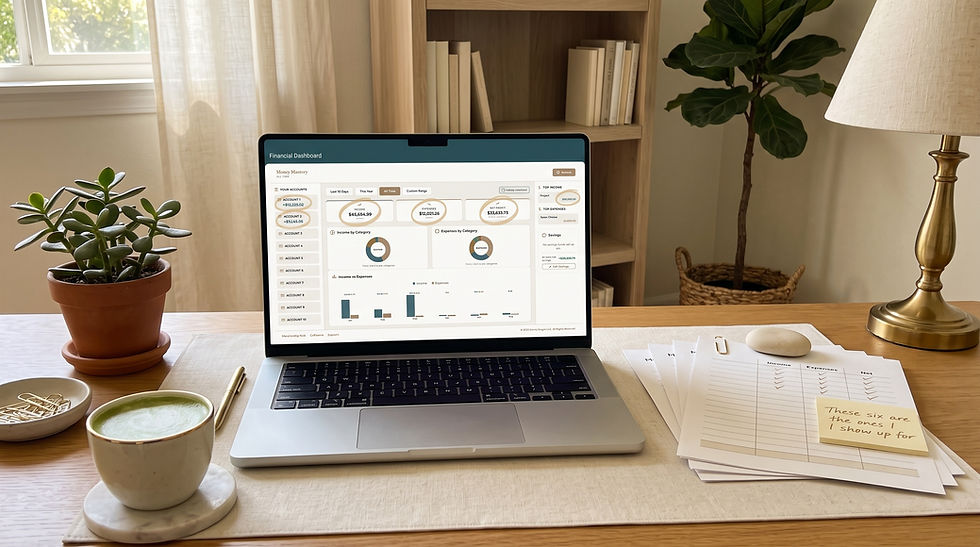
A financial dashboard works the same way. It takes the most important numbers in your business and personal finances and puts them in one visual, easy-to-read view. Instead of digging through bank statements, spreadsheets, invoices, and receipts every time you want to know if you can afford something, you open your dashboard and see the answer.
As LivePlan's Noah Parsons put it: "If you are only watching your company's bank balance, that is a lot like only watching the check engine light while you are driving and completely ignoring the speedometer and gas gauge. Maybe you will know you are not in immediate danger, but you are missing a lot of other important information, and that can get you into trouble."
At its core, a good small business financial dashboard shows you five things: how much money is coming in, how much money is going out, how much you have saved, how much you owe, and what you are worth when you subtract the debt from the assets. That is it. Income, expenses, savings, debt, net worth. Five numbers. One view.
And here is what I want you to understand: you do not need expensive software to build this. You do not need to hire a CFO. You do not need to be good at math. If you can look at a screen and read a number, you can use a dashboard. The setup takes a little effort, but I promise you, it pays for itself in better decisions within the first month.
The Real Cost of Not Having a Financial Dashboard
Let me share some numbers that honestly shocked me when I first saw them. According to SCORE and HBK CPA, small business owners spend more than 20 hours per month on financial tasks like bookkeeping, invoicing, and reconciliation. That is 25% of a standard work week spent on number-crunching. And despite all that time, 46% of small business owners still do not review their financial reports on a monthly basis.
Let that sink in. Twenty hours a month on financial busywork, and nearly half still do not have a clear picture of where they stand.
That is not a discipline problem. That is a system problem. When your financial information is scattered across bank accounts, credit card statements, spreadsheets, and shoeboxes full of receipts, looking at the big picture feels overwhelming. So you avoid it. Or you check one thing at a time: your bank balance on Monday, your credit card bill on Wednesday, your revenue report whenever you remember. You never see it all together.
And that fragmented view is where expensive mistakes hide. You hire a contractor because your bank account looks healthy, but you forgot about the quarterly tax payment due next week. You invest in new equipment because revenue is up, but you did not notice that expenses grew faster than income last month. You take on debt because cash feels tight, but your accounts receivable is actually sitting at $15,000 that nobody has collected.
Forty-five percent of small businesses fail to track all of their expenses, and that oversight leads to an estimated 20% annual profit loss. According to Fortunly's 2026 analysis, 48% of small businesses that closed in 2025 ran out of cash. Not revenue. Cash. Because they could not see the gap between what was coming in and what was going out until it was too late.
A dashboard does not just show you numbers. It shows you relationships between numbers. And those relationships are where the real insight lives.
As the team at Blue Federal Credit Union wrote about the financial metrics every business should track: "The problem is not intelligence. It is structure." A dashboard gives you that structure.
And here is the encouraging part. Palo Alto Software reports that businesses that check in with their numbers regularly are 30% more likely to grow. QuickBooks found that 98% of small business owners who work with financial tracking tools say it boosts their confidence. You do not need more willpower. You need a better window into your money.
The 5 Essential Sections Every Small Business Financial Dashboard Needs
I am going to walk you through exactly what belongs on your dashboard and why. You can build this in a Google Sheet (if you followed our Google Sheets budgeting guide, you already have the foundation), or you can use Money Mastery's built-in reporting dashboard that does most of this automatically. Either way, the five sections are the same.
Section 1: Income Overview and Revenue Tracking
This is your money-in. I want you to track three things here.
Your total income this month, broken down by source. If you have a service-based business, that might be client payments. If you sell products, it is sales revenue. If you have multiple income streams, list each one. The U.S. Chamber of Commerce recommends reviewing your profit and loss statement monthly, and your income overview is the first half of that picture.
Your income compared to last month. Is it up or down? By how much? You do not need a complicated year-over-year analysis right now. Just last month versus this month gives you a trend line that matters. Trezy's 2026 KPI guide lists revenue growth rate as one of the 27 essential financial KPIs every small business should track, and your dashboard makes it visible without any manual calculation.
Your income compared to your baseline. If you read our post on how to budget with irregular income, you know the power of identifying your lowest recent month and using it as your planning floor. Your dashboard should show where this month sits relative to that floor. Are you above it? You have surplus to allocate. Are you at or below it? Time to tighten up and protect your essentials.
This section alone will change how you feel about your business because it replaces the vague sense of "I think we are doing okay" with an actual number you can point to.
Section 2: Expense Tracker and Spending Category Breakdown
This is your money-out. And I need to be honest with you: this is the section most people avoid building because they do not want to see it. I get that. But avoiding it is exactly how spending leaks grow into spending floods.
Your dashboard should show total expenses this month, broken down into categories. For a small business, I recommend keeping it simple: operating costs, owner's pay, taxes set aside, subscriptions and software, and everything else. If you need a refresher on how to categorize effectively, our post on how to track expenses effectively as a small business breaks it down step by step.
It should also show your expenses compared to last month. That month-over-month comparison is what catches the creep before it becomes a crisis. Blue Federal Credit Union's 2026 guide lists operating expenses as one of their top 10 metrics, noting that "expenses grow quietly" through unused subscriptions, underperforming ad spend, and software overlap.
And it should flag anything unusual. A subscription that jumped $20. A vendor charge that appeared twice. A category that suddenly spiked. These are the things that a static spreadsheet misses but a well-designed dashboard highlights immediately. We covered how to spot these kinds of surprises in our post on 7 spending leaks that quietly drain your business.
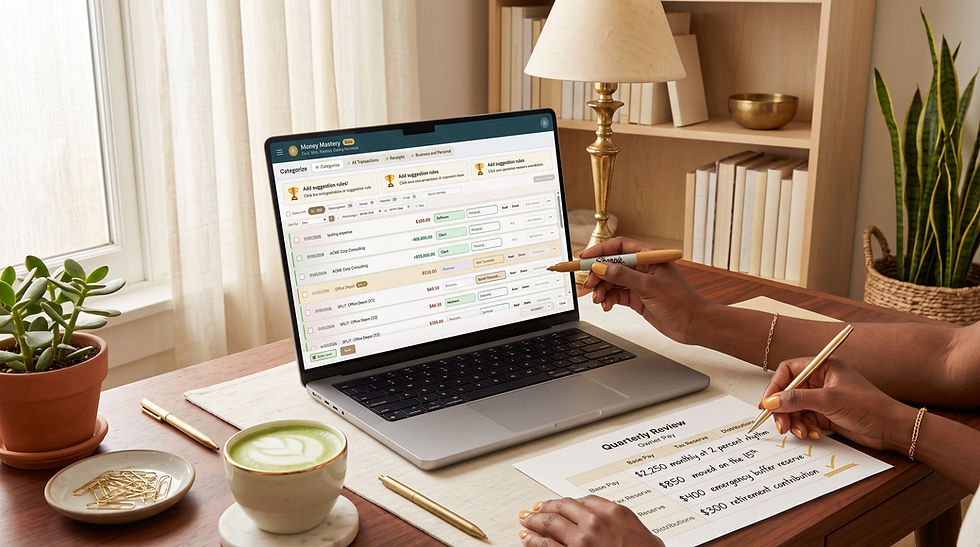
This is where I want to talk about something I am really proud of in Money Mastery. Our reports do not just show you what you spent. They let you talk with your money. What I mean by that is you can click into any category, see every transaction, compare it to previous months, attach receipts, and flag items for follow-up. It is not a passive report you read and forget. It is an interactive conversation with your financial data. You ask questions: "Why did my software costs go up?" "Did that refund actually come through?" "Am I spending more on supplies than last quarter?" And the dashboard answers.

I built Money Mastery's reports this way on purpose. Because I have seen too many business owners stare at a spreadsheet full of numbers and feel nothing. No insight. No action. Just overwhelm. The reports inside Money Mastery are designed to make you curious, not confused. They are designed to make you want to dig in, not shut the laptop. That is the difference between a report that sits in a folder and a dashboard that actually changes how you run your business.
Section 3: Savings Snapshot and Emergency Fund Progress
This section is simpler but just as important. I want you to see three numbers here.
Your emergency fund balance and what percentage of your three-to-six-month target it represents. We talked about why this matters in our post on how to build an emergency fund for your small business. Seeing that number on your dashboard every week keeps the goal alive. It is the difference between "I should save more" and "I am 62% of the way to my safety net, and I added $400 this month."
Your tax savings account balance. If you are self-employed, this is critical. That 25% to 30% you should be setting aside from every deposit? You need to see it growing. When quarterly tax time arrives, there should be zero panic because the money is right there on your dashboard. If you are not sure how much to set aside, our post on small business tax deductions you might be missing helps you understand what is deductible so you can estimate your actual tax burden.
Any other savings goals you are working toward. A new piece of equipment. A training investment. A business expansion fund. Seeing progress toward these goals on the same screen as your income and expenses gives you motivation that a buried savings account never will. If you set those goals using the framework from our financial goal-setting guide, your dashboard becomes the scoreboard that keeps you accountable.
Section 4: Debt Overview and Interest Rate Comparison
I know this one can feel heavy. But I have learned that the business owners who face their debt openly are the ones who pay it off fastest. Hiding from it only makes it grow.
Your dashboard should show each debt you carry: the balance, the interest rate, the minimum payment, and the payoff date at your current pace. Credit cards, business loans, lines of credit, equipment financing, anything you owe.
Why the interest rate? Because that single number tells you which debt is costing you the most every day it sits there. QuickBooks found that 57% of small business owners say high interest rates and substantial interest charges are the top disadvantage of using credit cards for business. When you see that 24.99% APR staring at you from the dashboard next to a 6% equipment loan, the priority becomes obvious without anyone having to tell you.
And here is something I think is really powerful: when your debt overview sits on the same page as your savings snapshot, you can see the trade-off in real time. Is it smarter to build savings or pay down that high-interest card? The dashboard shows you both sides of the equation. No guessing. No spreadsheet gymnastics. Just the two numbers, sitting next to each other, telling you what to do.
Fortunly's 2026 data found that 38% of small business failures in 2025 were attributed to the inability to service high-interest variable debt. A dashboard does not eliminate debt. But it makes sure debt never surprises you.
Section 5: Net Worth Tracker for Long-Term Financial Growth
This is the number most people never calculate, and it is the one that matters most over time. Net worth is simple: everything you own (assets) minus everything you owe (liabilities).
For a small business owner, assets include your business bank accounts, savings, investments, equipment value, inventory, and accounts receivable. Liabilities include all the debts from Section 4 plus accounts payable.
Here is why I want this on your dashboard: because it is the only number that tells the whole story. Your income could be great while your net worth is shrinking (you are earning but spending faster). Your income could be modest while your net worth is climbing (you are earning less but keeping more). The Federal Reserve's 2025 report on Economic Well-Being found that small business owners generally have higher income, savings, and household wealth than non-owners, but only when they actively manage their finances. The dashboard is how you actively manage.
Update your net worth monthly. Watch the trend. That single line going up or down over time is the most honest measure of whether your financial life is moving in the right direction.
And listen, I am not going to pretend this number always feels good. Some months it goes down. That is okay. The point is not to always see growth. The point is to always see truth. When you know where you stand, you can make real decisions from a real position. That is power.

How to Build Your Financial Dashboard in 30 Minutes or Less
I am going to give you two paths because I know everyone is starting from a different place.
Path 1: Building a Free Financial Dashboard in Google Sheets
If you already built a budgeting spreadsheet from our Google Sheets budgeting guide, you are 70% there. Here is exactly what to do.
Create a new tab in your existing spreadsheet and name it "Dashboard." Set up five sections with the headers I described above: Income Overview, Expense Tracker, Savings Snapshot, Debt Overview, Net Worth. Use simple SUM and comparison formulas to pull totals from your existing budget and expense tabs.
For the month-over-month comparison, create a column that calculates the percentage change between this month and last month for each category. Use conditional formatting so that cells turn green when you are on track and red when something needs attention. Google Sheets has a built-in conditional formatting feature that takes about two minutes to set up.
For your net worth, create a simple two-column section: one column for assets, one for liabilities. List each item with its current value. At the bottom, subtract total liabilities from total assets. That is your net worth. Format it in bold so it stands out.
Schedule 15 minutes at the end of each week to update the numbers. This approach works. It is free. And the act of manually entering data forces you to pay attention to every number. The downside is that it requires discipline to maintain and it will not flag things automatically. QuickBooks found that 71% of small business owners still use pen, paper, or spreadsheets for some aspect of their finances, so you are not alone if this is where you start.
Path 2: Using Money Mastery's Automated Dashboard and Reports
This is what I built Money Mastery to do. And honestly, this is the part I am most excited to tell you about, because I built it specifically for the business owners who tried the spreadsheet route and found themselves abandoning it after three weeks.
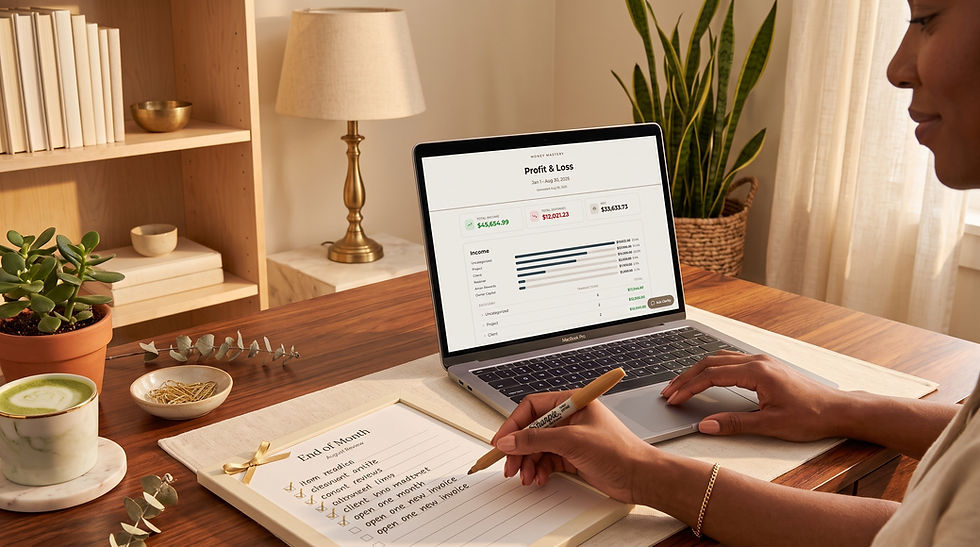
When you upload your csvs to Money Mastery, the dashboard populates automatically. Income, expenses, all in one view, updated in real time. No manual entry. No formulas to break. No formatting to fiddle with.
But the dashboard is just the starting point. The real magic is in the reports.
Money Mastery's reports are not spreadsheets you stare at. They are tools you use.
Here is what I mean:
You can filter by date range, category, vendor, or account. Want to see only your software subscriptions for the last 90 days? Two clicks. Want to compare your January expenses to your June expenses? Side by side, instantly.
You can drill into any category and see exactly which transactions drove a change. If your "operating costs" jumped 15% this month, you do not have to guess why. Click in, see the line items, and you will know in seconds whether it was a one-time expense or a new pattern.
You can flag a transaction as "needs review" and come back to it during your monthly financial review. No more scribbling on sticky notes or making mental reminders that you forget by Tuesday.
You can attach a receipt directly to a transaction so that when tax time comes, everything is already organized. No more digging through that receipt shoebox we talked about in our receipt organization post.
You can see month-over-month changes highlighted automatically. If your internet bill went up $12 or a new charge appeared that was not there last month, Money Mastery flags it. You decide what to do about it. The system just makes sure you see it.
The reports let you have a real conversation with your money. Not a lecture. Not a guilt trip. A conversation. "Where did this go? Was it worth it? Should I do it differently next month?" That back-and-forth is where financial mastery actually happens. Not in knowing more, but in paying attention more consistently.
I have watched business owners go from feeling lost in their finances to feeling genuinely confident in under 30 days. Not because Money Mastery gave them more information. Because it gave them the right information, in the right format, at the right time. That is what a good dashboard does.

How to Use Your Dashboard Every Week and Every Month
Building the dashboard is step one. Using it is where the transformation happens. Here is exactly how I recommend making it part of your routine.
Your Weekly 5-Minute Dashboard Check-In
Open your dashboard every week. I like to do mine on Monday mornings before I start working on anything else. It takes five minutes, and it sets the tone for every decision I make that week.
Look at income and expenses for the week. Does anything look off? Any charges you do not recognize? Any invoices you expected that have not arrived? Make a note and move on. That is it. Five minutes. You are not analyzing. You are scanning. Think of it like checking the weather before you leave the house. Quick glance, adjust if needed, keep moving.
Your Monthly 30-Minute Financial Dashboard Review
This is your deep review, and it aligns perfectly with the process we outlined in our monthly financial review checklist. Compare this month to last month across all five sections.
Look for trends. Is income growing or shrinking? Are expenses creeping up? Is your savings rate on track? Has your net worth moved in the right direction? Has any debt balance gone up unexpectedly?
This is also when you reconcile your dashboard against your bank statements. We covered that full process in our bank statement review guide. The dashboard gives you the big picture. The bank statement review confirms the details. Together, they make sure nothing slips through.
In Money Mastery, this monthly review is even simpler. The reports already show you month-over-month changes, flagged items, and category comparisons. You just open, review, and act. Twenty minutes, not two hours.
Your Quarterly 45-Minute Strategic Financial Review
Zoom out every three months. Look at the quarter as a whole. Are your financial goals from our goal-setting post on track? Do your budget allocations still make sense, or does reality look different from the plan? Is your net worth trending the way you want it to?
This is the meeting you have with yourself (or your accountant, or your partner) to make adjustments. It is not about perfection. It is about course correction. Even a small adjustment every quarter compounds into massive improvement over a year.
The beautiful thing about a dashboard is that it makes all of this faster. When the data is already organized and visual, a monthly review takes 20 minutes instead of two hours. A quarterly check-in becomes a real strategic conversation instead of a frantic scramble to figure out what happened.
Common Financial Dashboard Mistakes to Avoid
I have seen a lot of business owners get excited about building a dashboard and then abandon it within a month. Here are the mistakes that cause that, and how to avoid them.
Tracking too many metrics at once. You do not need 27 KPIs on day one. Start with the five sections I outlined above. Trezy recommends starting with five or six KPIs and expanding as your confidence grows: "You can not manage what you do not measure. Start with 5 KPIs, then expand as your team matures." More metrics can come later. Right now, you need clarity, not complexity.
Building it but never looking at it. A dashboard you do not check is just a pretty spreadsheet. Block time on your calendar. Monday morning, 5 minutes. First of the month, 30 minutes. Put it on the calendar like you would a client meeting. Because this meeting is with the person who matters most to your business: you.
Not acting on what you see. The point of a dashboard is not to look at numbers and feel informed. It is to look at numbers and do something. If your expenses jumped, investigate why. If a subscription appeared that you do not recognize, call and cancel. If your net worth dropped, figure out whether it was a one-time event or a pattern. The dashboard shows. You decide.
Forgetting to update it. If you are using a manual Google Sheet, set a weekly reminder. If you are using Money Mastery, the data updates automatically, but you still need to log in and look. The tool works. It just needs your eyes on it.
Your Action Step This Week
Here is what I want you to do before next Sunday. Pick your path, either Google Sheets or Money Mastery, and build the first two sections of your dashboard: Income Overview and Expense Tracker. Just those two. Get your numbers in. Look at them. Compare this month to last month.
If you find one expense that surprises you, one charge you forgot about, one number that makes you say "wait, really?" then the dashboard is already working. And I promise you, once you see your money laid out in front of you like that, you will want to build the rest.
If you want the fastest way to get started, grab our free Net Worth Tracker. It puts your personal and business accounts side by side across sixty account types and twelve tabs, and it stays yours.
Your money is already telling a story. A dashboard just makes sure you are finally listening.
Frequently Asked Questions About Building a Small Business Financial Dashboard
Do I need accounting software to create a financial dashboard?
No. You can build a perfectly functional dashboard in Google Sheets or Excel with basic formulas and conditional formatting. QuickBooks found that 71% of small business owners still use spreadsheets for at least some aspect of their finances, so starting there is completely normal. The advantage of a tool like Money Mastery is that it automates the data entry, categorization, and comparison so you spend less time updating and more time analyzing. But a manual dashboard you actually use beats a fancy tool you ignore.
How often should I update my small business financial dashboard?
At minimum, once a month. Ideally, your income and expense sections get a quick weekly glance (five minutes), and the full dashboard including savings, debt, and net worth gets a monthly review. If you use Money Mastery, the data updates automatically so there is nothing to manually refresh. The habit of looking at it is what matters.
What if my business is brand new and I do not have much data yet?
Start now anyway. Even one month of data gives you a baseline. Two months gives you a comparison. Three months gives you a trend. The worst time to build a dashboard is after a financial crisis when you are scrambling to understand what went wrong. The best time is right now, when you can still shape the story.
What is the difference between a financial dashboard and a financial report?
A financial report is a static document that covers a specific time period, like a monthly profit-and-loss statement. The U.S. Chamber of Commerce recommends reviewing six key reports monthly, including P&L, balance sheet, and cash flow statements. A dashboard is a living view that shows your current financial position and updates as new data comes in. Reports tell you what happened. Dashboards help you decide what to do next. Money Mastery gives you both.
Should I include personal finances on my business dashboard?
If you are a sole proprietor or freelancer whose personal and business finances overlap, yes. Your personal expenses, savings, and debt affect your business decisions whether you track them or not. Keeping them on the same dashboard, but in clearly separated sections, gives you the full picture. If you have struggled with that line, our post on how to separate business and personal finances is a great companion to this one. And if you are confused about which expenses belong where, our business expense vs. personal expense guide breaks it down clearly.
What are the most important metrics to put on my dashboard first?
Start with income, expenses, and cash flow. Those three alone give you 80% of the insight you need. Blue Federal Credit Union's 2026 guide and Trezy's KPI framework both emphasize that cash flow is the foundation. Add savings, debt, and net worth once you are comfortable with the first three. You can always expand later, but you cannot benefit from a dashboard you never finish building.
Comments