


How to Track Expenses When You're Self-Employed
Updated: Sep 17
If you're self-employed, figuring out how to track expenses is one of those tasks that feels like it should be simple but never quite is. Receipts pile up in your glove box. Transactions blur together across two or three accounts. And every few months, you tell yourself you'll "catch up this weekend" before another weekend passes without it happening. You're not disorganized. You just don't have a repeatable system yet.
There are roughly 16.8 million self-employed Americans as of 2025, according to labor data. And with Forbes reporting that six-figure self-employment has surged 19% since 2024, more people than ever are navigating the financial complexity of working for themselves. The ones who thrive at it aren't necessarily better with money. They just have a 10-minute weekly system that prevents the quarterly scramble.
This post gives you that system. A specific, repeatable weekly workflow for self-employed expense tracking that covers tools, categories, receipt habits, and the exact steps to follow every single week. By the end, you'll have a process you can start using today and maintain for the rest of the year without it ever becoming a burden.

Why Self-Employed Expense Tracking Is Different from a Regular Job
When you have an employer, your financial life is relatively simple. Paycheck comes in. Bills go out. Maybe you track personal spending, maybe you don't. But when you're self-employed, you are the payroll department, the accounting team, and the finance director all at once.
Your income is variable. Your expenses are a mix of personal and business. Some purchases serve both. And the IRS expects you to keep records that clearly show your income and expenses, with supporting documentation for every deduction you claim.
According to the IRS recordkeeping guidelines, you must keep tax records for at least three years from the date you file your return, and employment tax records for at least four years. That means the receipt you shoved in your jacket pocket last Tuesday could matter three years from now if you're ever audited.
Self-employed expense tracking isn't optional. It's the foundation of your entire financial and tax life. The good news is that it doesn't have to take hours. It takes 10 minutes a week when you have the right workflow.
The 10-Minute Weekly Expense Tracking Workflow
This is the system. Five steps, once a week, 10 minutes total. Pick a day and stick with it. Most people find that Monday morning or Friday afternoon works best because it bookends the work week.
Step 1: Open Your Accounts (1 Minute)
Pull up every account you used for spending in the past week. For most self-employed people, that's a business checking account, a personal checking account, and one or two credit cards. If you use PayPal, Venmo, Cash App, or any other payment platform for business, include those too.
Don't try to remember what you spent. Look at the actual transactions. Memory is unreliable, especially when you're juggling client work, invoices, and life.
Step 2: Scan for New Transactions (2 Minutes)
Scroll through each account and identify every transaction from the past seven days. You're not categorizing yet. You're just scanning to make sure nothing is missing, unfamiliar, or duplicated.
This is where you catch the subscription you forgot about, the charge that doesn't look right, or the refund that hasn't posted yet. A weekly scan prevents small issues from becoming big ones.
Step 3: Categorize Each Transaction (4 Minutes)
Now go through each transaction and assign it to a category. This is where most people get stuck because they either have too few categories (everything goes into "business" or "personal") or they overthink every single charge.
The key is having your categories set up in advance so you're choosing from a list, not inventing categories on the fly. Good self-employed expense categories include things like software and subscriptions, office supplies, professional development, travel and transportation, meals (business), marketing, insurance, contractor payments, and home office costs.
For personal expenses, the same principle applies. Groceries, dining out, transportation, healthcare, personal care, entertainment, and household costs should all have their own lanes.
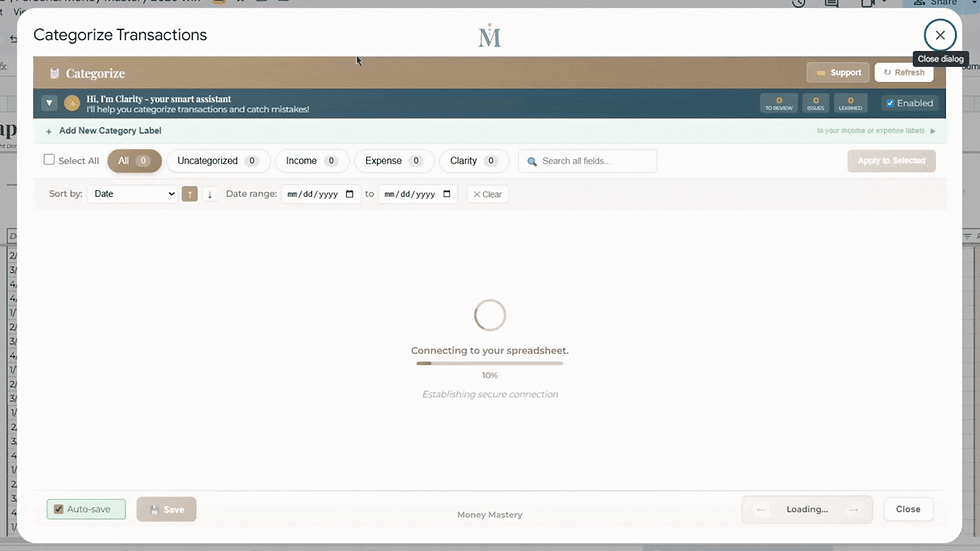
If you use a system like Money Mastery, this step goes even faster. Clarity AI learns your spending patterns and suggests the right category for each transaction automatically. With 420 categories available across business and personal spending, you get the specificity you need without spending time figuring out where each charge belongs.
Step 4: Capture Any Missing Receipts (2 Minutes)
The IRS requires supporting documents for your business expenses, including proof of payment, date, amount, and a description of the item or service. For meals and travel especially, documentation is critical.
Go through your business transactions from the week and make sure each one has a receipt attached or saved. Take a phone photo of any paper receipts and save them to a cloud folder organized by month. If you use a system that supports receipt attachment, upload them directly to the transaction.
This two-minute habit eliminates the "shoebox of receipts" problem that haunts self-employed people every April. When your receipts are captured weekly, tax prep becomes a non-event.
Step 5: Flag Anything That Needs Follow-Up (1 Minute)
The last minute is for flagging. Did a client payment not arrive? Is there a charge you need to dispute? Did you spot a subscription you want to cancel? Write it down or tag it in your system so it doesn't disappear into next week's noise.
That's the entire workflow. Open, scan, categorize, capture receipts, flag follow-ups. Ten minutes, done for the week.

Download the free Money Mastery Net Worth Tracker at https://moneymastery-system.com/free. It puts your personal and business accounts side by side across sixty account types and twelve tabs, and it stays yours.
What Categories Should a Self-Employed Expense Tracker Include?
The right categories depend on your specific business, but most self-employed professionals need at minimum two sets: business and personal. Within each, you want enough specificity to see patterns without so many categories that the sorting becomes its own full-time job.
Mercury's guide on freelancer expense management breaks down the most common freelance expense categories well: home office and utilities, software and subscriptions, equipment and supplies, travel and transportation, marketing and client services, and professional fees. Those are solid starting points for the business side.
On the personal side, the categories we covered in our needs vs wants framework apply directly here. Housing, groceries, transportation, healthcare, personal care, dining, entertainment, and subscriptions give you a clear view of where your personal money goes alongside your business spending.
Here's the principle that makes this work. Your categories should be specific enough that when you look at a monthly total, you know exactly what it represents. "Miscellaneous: $890" tells you nothing. "Software subscriptions: $340, professional development: $275, office supplies: $180, co-working space: $95" tells you a story you can act on.
Money Mastery handles this with 400 expense categories and 20 income categories that cover virtually every type of spending a self-employed person encounters. You don't have to build your own category structure from scratch. It's already there, and Clarity AI refines the sorting the more you use it.
The Receipt Habit That Saves Hours at Tax Time
Receipt management is the part of freelancer expense tracking that most people dread. And it's usually dreadful because they wait until tax season to deal with 12 months of accumulated paper and digital chaos.
The weekly workflow above solves this, but let's go deeper on the receipt habit specifically because it matters so much for self-employed taxpayers.
The IRS Publication 334, the official tax guide for small businesses, is clear: you need supporting documents that show the amount, date, place, and business purpose of each expense. For travel, meals, and entertainment deductions, the documentation requirements are even more specific. You need who was present, the business purpose of the meeting, and the location.
Here's the receipt workflow that takes 30 seconds per transaction.
When you make a business purchase, take a photo of the receipt immediately. Not later. Not when you get home. Right there at the register or right when the email receipt arrives. Save it to a dedicated folder on your phone, organized by month. If your tracking system supports receipt attachment (Money Mastery does), upload it directly to the transaction.
At the end of each week during Step 4 of your workflow, verify that every business transaction from the past seven days has a receipt matched to it. If anything is missing, track it down now while you still remember the purchase.
The U.S. Chamber of Commerce's guide to tax document retention recommends keeping these records for a minimum of three years, and longer in some cases. When your receipts are digital and organized by month, they take up zero physical space and are instantly searchable.

How the Weekly System Prevents the Quarterly Scramble
If you've ever spent an entire Saturday in January trying to reconstruct a year's worth of expenses from bank statements and scattered receipts, you know the quarterly scramble. It's stressful, it's inaccurate, and it almost always results in missed deductions that cost you real money.
Research cited by HBK CPAs found that accounting errors result in an average of $3,534 per year in tax overpayments for small businesses. Many of those errors come from reconstructed records, because when you're categorizing transactions from six months ago, you're guessing at the business purpose of charges you barely remember.
The weekly system eliminates this entirely. When you categorize transactions within seven days of making them, your memory is fresh. You know that the $47 Amazon charge was a keyboard for your office, not a birthday gift. You know that the $85 restaurant charge was a client lunch, not a date night. That context, captured in real time, is what turns your expense data from an approximation into an accurate financial record.
Forbes contributor Joel Mathew put it directly: "If you aren't measuring it, you can't improve it. Expenses should always be managed and revenues should always be reviewed, no matter how the company is doing." A weekly expense routine is exactly how you measure it, consistently and without letting it pile up.
The math is simple. Ten minutes a week equals roughly 8.5 hours over an entire year. Compare that to the 20-plus hours per month that SCORE research shows small business owners spend on financial tasks when they don't have a system. That's the difference between a weekly habit and a recurring crisis.
Choosing the Right Expense Tracker for Self-Employed Work
Your expense tracking system needs to do three things well: pull in transactions from your accounts, let you categorize them with enough detail to be meaningful, and keep your records organized for tax purposes. Everything else is a bonus.
For self-employed people who only need basic personal expense tracking, a simple spreadsheet or consumer app can work. But the moment you add business expenses, multiple accounts, tax categories, and receipt storage to the equation, those basic tools start to strain.
This is the exact problem that comes up in our post about why most budgeting apps fail business owners. Consumer apps weren't designed for the dual financial life of someone who's self-employed. They handle personal spending fine but fall short on business categories, P&L generation, split transactions, and the detailed reporting that self-employed tax filing requires.
A comprehensive system like Money Mastery was specifically built for this dual reality. It brings personal and business finances together in one Google Sheets-based dashboard without mixing them. You can link up to 10 accounts, import transactions via CSV, PDF, or Excel, categorize with AI assistance across 420 categories, attach receipts, split mixed transactions, and generate profit and loss reports that are ready to share with your accountant.
For self-employed professionals who want guidance alongside the system, Money Mastery's Fierce Financials plan includes personal coaching calls where you can work through your specific financial setup with Donna Roggio. And for those who want a focused strategy session to get their tracking system dialed in, Donna's Power Sessions through Rising and Thriving provide three hours of dedicated, actionable planning.
What the First Month of Weekly Tracking Looks Like
Let's make this concrete. Here's what happens when you commit to the 10-minute weekly workflow for one month.
Week one, you'll spend a few extra minutes getting your accounts pulled up and your categories set. Maybe 15 minutes total instead of 10. You'll categorize the past week's transactions and capture any receipts you can still find. It won't be perfect, and that's fine.
Week two, you'll notice the process is already faster because you remember doing it last week. You're not reconstructing from scratch. You're adding seven days of fresh data to an already-current system. This is the week where most people start to feel a shift from "this is a chore" to "this is actually useful."
eek three, you'll spot something. A subscription you forgot about, a category that's higher than you expected, or a pattern you never noticed before. This is the visibility kicking in. Your data is starting to tell you something because it's specific, current, and organized.
Week four, you'll do your first monthly financial review with four weeks of clean, categorized data behind you. That review will be faster and more insightful than any you've done before because the underlying data is solid.
After one month of weekly tracking, you'll have a clearer picture of your finances than most self-employed people achieve in a year. Not because you did anything heroic. Because you spent 10 minutes a week, consistently, with a repeatable system.

Start Your 10-Minute Weekly Routine Today
You don't need to buy anything, sign up for anything, or reorganize your entire financial life to start. You need 10 minutes and access to your bank accounts.
Here's your action step for today. Set a recurring 10-minute calendar reminder for the same day each week. Label it "Weekly Expense Check-In." When it pops up, follow the five steps: open your accounts, scan for new transactions, categorize each one, capture missing receipts, and flag follow-ups. Do it once, and you've started. Do it four times, and you have a habit. Do it for a year, and you'll never scramble at tax time again.
Tomorrow, we'll tackle one of the most misunderstood topics in expense tracking: why your credit card payment is not an expense and what it actually is.
Get your free Net Worth Tracker and see where your money actually goes, in 15 minutes. https://moneymastery-system.com/free
Frequently Asked Questions
How do self-employed people track their expenses?
Self-employed people can track expenses using a spreadsheet, an app, or a comprehensive financial system. The most effective approach is a weekly routine where you review transactions, categorize each one, and capture receipts within seven days of each purchase. Systems like Money Mastery automate much of this by importing transactions from up to 10 linked accounts and using AI to suggest categories across 420 business and personal expense types.
What records does the IRS require self-employed people to keep?
The IRS requires self-employed individuals to keep records that clearly show income and expenses, including supporting documents like receipts, invoices, bank statements, and proof of payment. For travel, meals, and entertainment deductions, you need documentation of the amount, date, place, business purpose, and who was present. These records must be kept for at least three years from the date you file your return, and employment tax records for at least four years.
How much time should I spend on expense tracking each week?
With a structured weekly system, 10 minutes per week is enough to stay on top of self-employed expense tracking. This covers scanning new transactions, categorizing them, capturing receipts, and flagging follow-ups. Without a system, SCORE research shows that small business owners spend over 20 hours per month on financial tasks, much of which is spent reconstructing records rather than proactively managing them.
What are the best expense categories for freelancers and self-employed professionals?
Common business expense categories for self-employed professionals include software and subscriptions, office supplies, professional development, travel and transportation, business meals, marketing, insurance, contractor payments, and home office costs. On the personal side, categories like housing, groceries, dining, healthcare, transportation, entertainment, and personal care provide a clear picture. The more specific your categories, the more useful your data becomes for identifying patterns and maximizing deductions.
What happens if I don't track my self-employed expenses?
Without consistent expense tracking, you risk missing legitimate tax deductions, overpaying on taxes, creating inaccurate financial records, and being unprepared for an IRS audit. Research shows that accounting errors lead to an average of $3,534 per year in tax overpayments for small businesses. Beyond taxes, the lack of visibility into your spending makes it nearly impossible to understand your true profit margins or make informed financial decisions about your business.
If you would like to talk it through with someone, Donna Roggio is a business coach with fifteen years of experience helping women sort this out, and a first call with her is free.
Related Posts:



Comments